
How can I create a new e-mail account with Windows Mail ?
Start Windows Mail
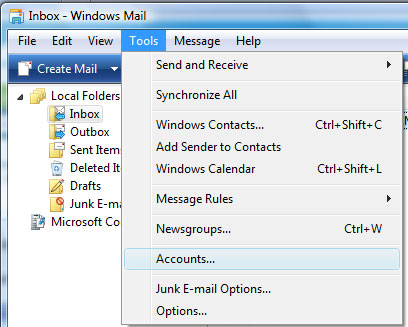
To set up a new account, choose "Tools" > "Accounts"
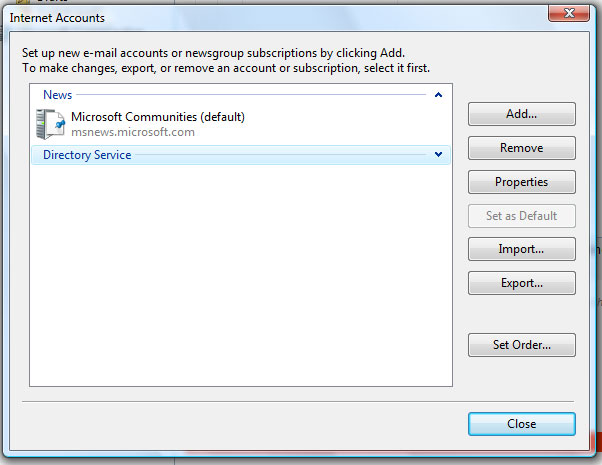
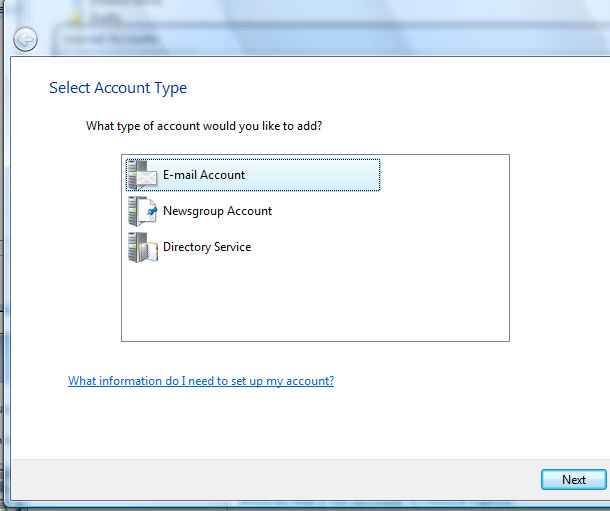
Click "Add" and select "E-mail Account"
Confirm with "Next"
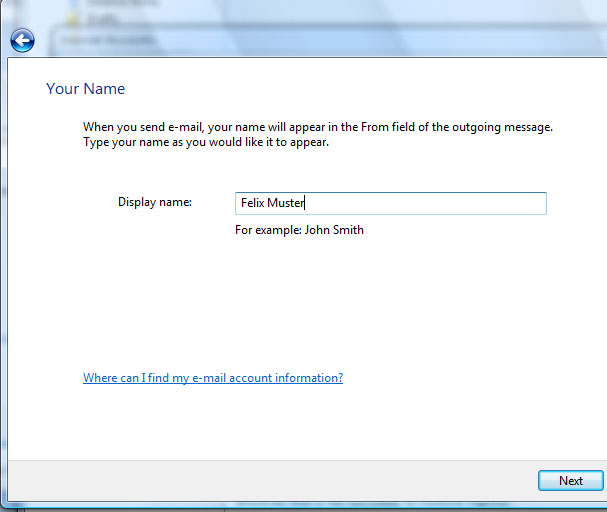
In the "Display name:" field type in your full name (Example: Felix Muster)
Click "Next"
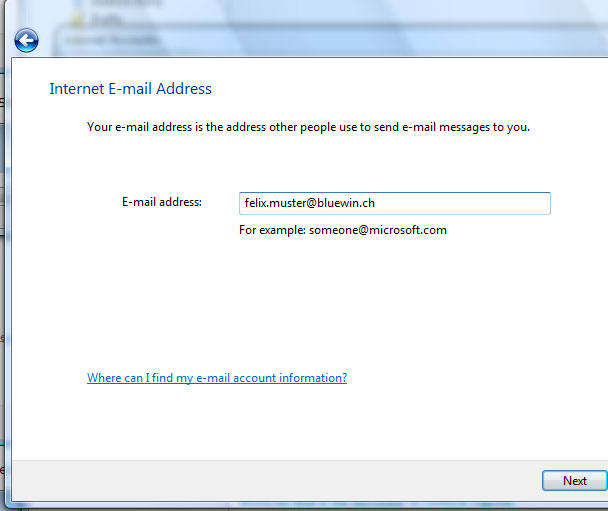
Enter your e-mail address into the "E-mail address" field (Example: felix.muster@bluewin.ch)
Click "Next"
For the "Incoming e-mail server type:" choose POP3 and enter the following information in these fields:
Incoming mail (POP3 or IMAP) server: pop.bluewin.ch
Outgoing e-mail server (SMTP) name: smtpauth.bluewin.ch
Check the option "Outgoing server requires authentication", then click "Next"

Under "E-mail username" enter your e-mail address without @bluewin.ch and under "Password" enter your e-mail password
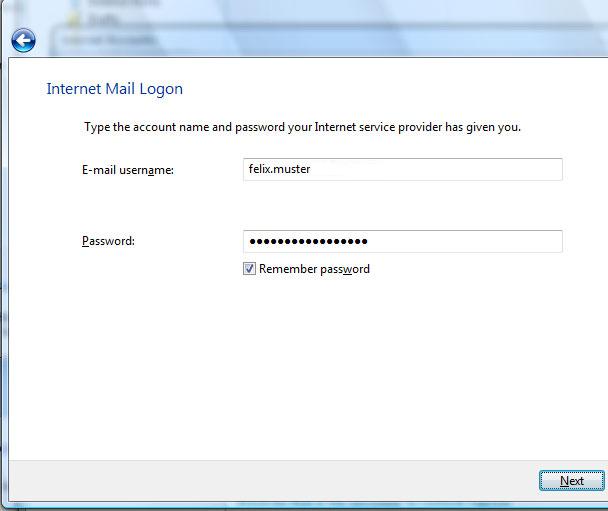
Click "Next" to finish setting up your e-mail account
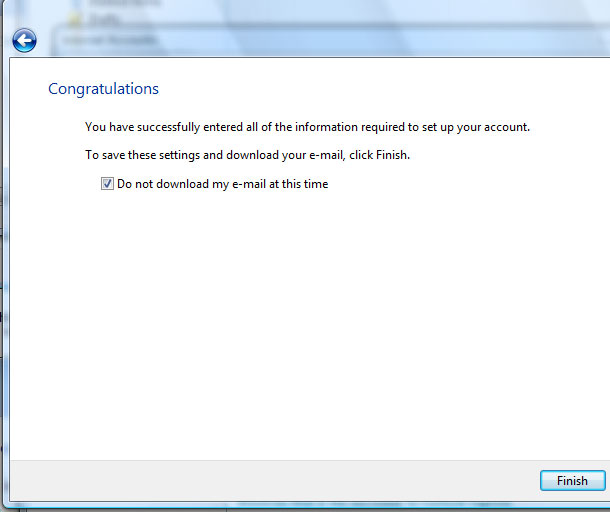
Check the option "Do not download my e-mail at this time" and click "Finish"