

How can I create a new Outlook Express 6 e-mail account with Windows ?
Launch Outlook Express 6.
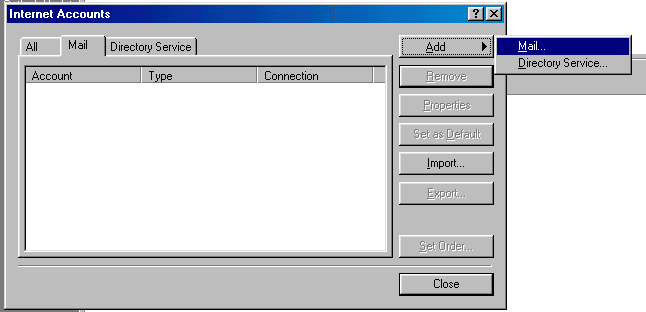
From the menu choose "Tools" > "Accounts".
Choose "Add" > "Mail...".
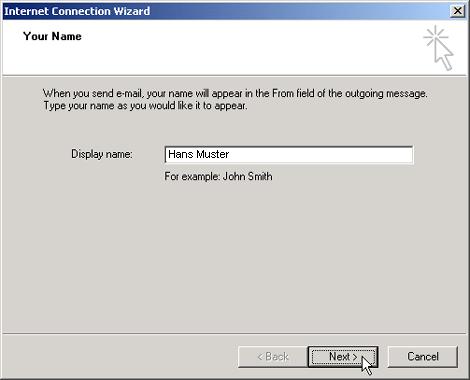
In the "Display name" field, enter your first name and surname.
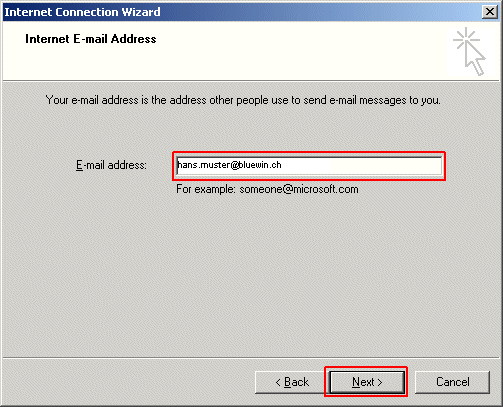
In the "E-mail address" field, enter your full e-mail address (in our example hans.muster@bluewin.ch).
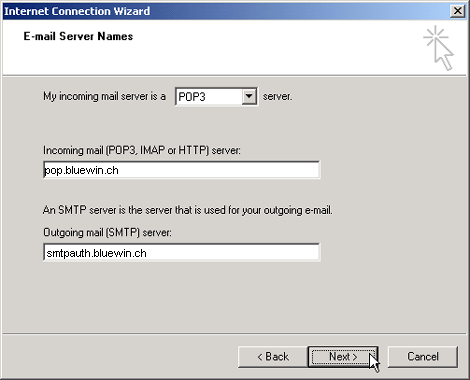
Now enter the following information into these fields:
My incoming mail server is a POP3 server.
In the "Incoming mail (POP3, IMAP or HTTP) server" field, enter pop.bluewin.ch.
In the "Outgoing mail (SMTP) server" field, enter smtpauth.bluewin.ch.
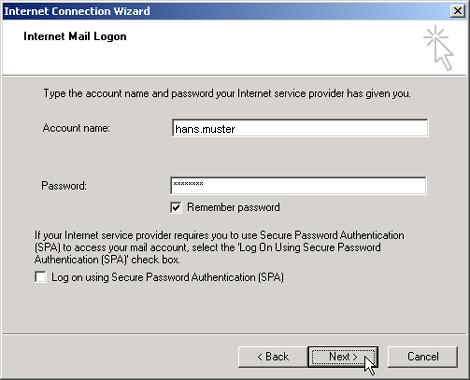
In the "Account name" field, enter your username (if you have an @bluewin.ch e-mail address, enter your e-mail address without @bluewin.ch. If you have an @bluemail.ch e-mail address, enter your complete e-mail address.).
In the "Password" field, enter your e-mail password (your e-mail password is different from your Swisscom Login. If you can't remember your e-mail password, you have the option of generating a new one in the Customer Centre.).
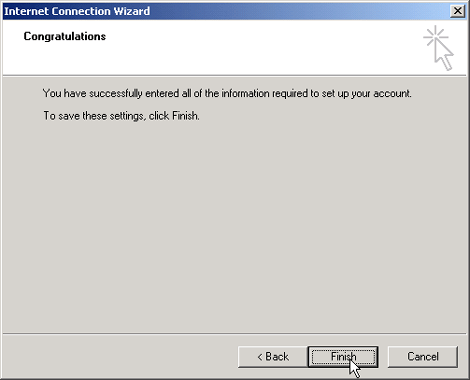
After clicking on "Finish", the e-mail account will be created.
To use SMTP authentication to its fullest extent, you must set the outgoing server port to 587.
Your Outlook Express 6 has been set up to use SMTP authentication. You can now increase the security level, and transmit your e-mails via an SSL encrypted connection. The SSL (Secure Socket Layer) protocol makes the data stream "tap-proof".
You must make the following settings:
Incoming server (POP3): pop3s.bluewin.ch
Outgoing server (SMTP): smtpauths.bluewin.ch
On the "Advanced" tab, enter the number 465 in the "Outgoing server (SMTP):" field. Check the option "This server requires an encrypted connection (SSL)".
Type the number 995 into the "Incoming server (POP3):" field. Check the option "This server requires an encrypted connection (SSL)"Saisissez dans le champ "Courrier entrant (POP3):" les chiffres 995. Activez "Ce serveur requiert une connexion sécurisée (SSL)".